> ## Documentation Index
> Fetch the complete documentation index at: https://graphite-58cc94ce.mintlify.site/docs/llms.txt
> Use this file to discover all available pages before exploring further.
# Setup & configuration
> Get started with AI reviews in under 5 minutes
## Getting started with AI reviews
AI reviews can be enabled in just a few clicks, with no configuration required to start catching bugs in your pull requests.
### Enabling AI reviews
1. Navigate to the [AI code review settings page](https://app.graphite.com/ai-reviews?reviewerTab=settings)
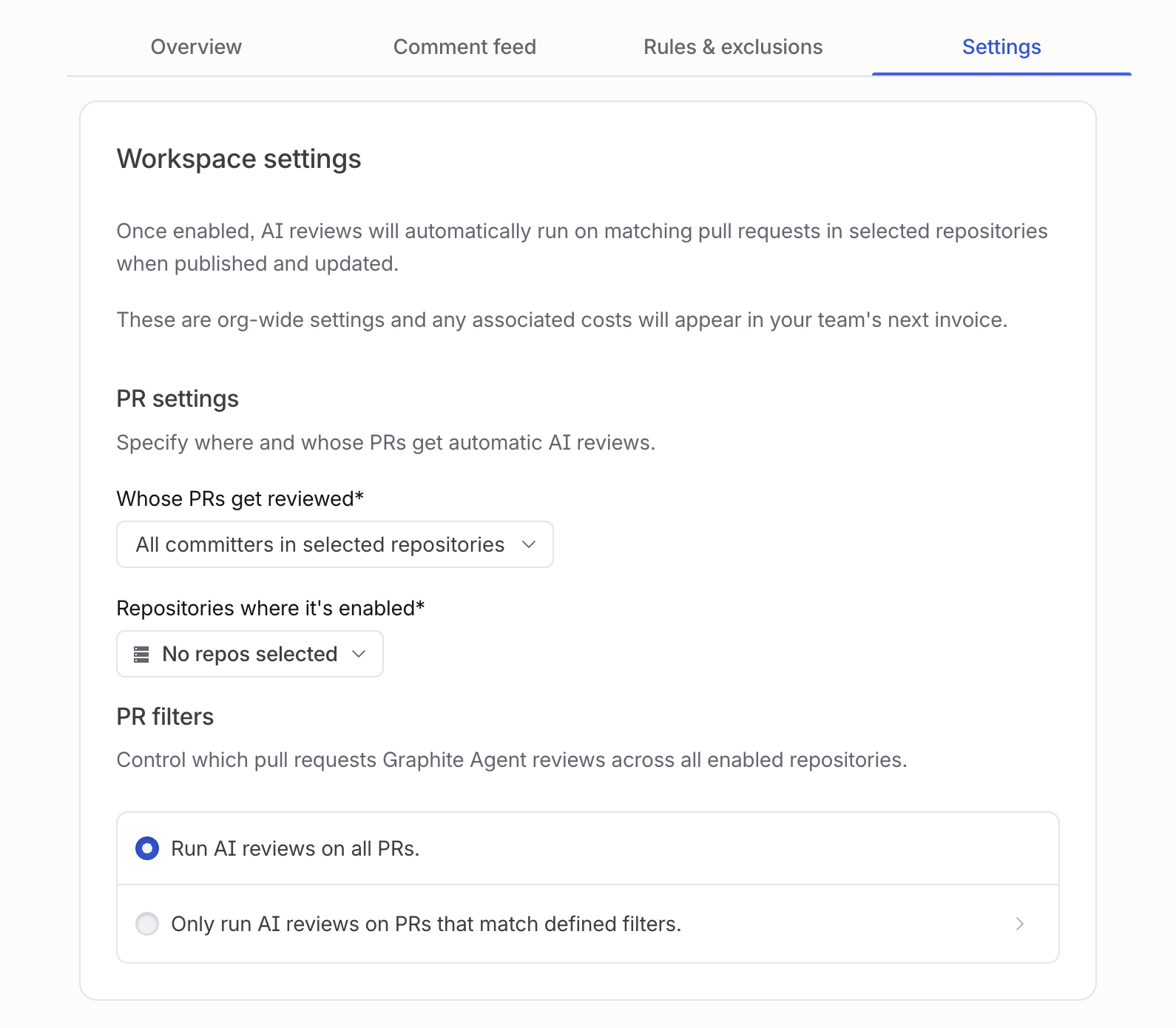 2. Select the repositories where you want AI reviews enabled
* You can choose specific repositories or enable AI reviews across your entire organization
* If you don't see the repositories you're looking for, make sure they're [synced with Graphite](https://app.graphite.com/settings/synced-repos)
3. Click "Save" to save your settings. Graphite Agent will now automatically review all new pull requests in the selected repositories
### What happens next
Once enabled, Graphite Agent:
* Automatically analyzes new pull requests in the selected repositories
* Comments directly on pull requests when it finds potential issues
* Suggests fixes for the problems it identifies
Graphite Agent works behind the scenes, with no changes required to your existing PR workflow. Your team can continue using GitHub just as they do today, with Graphite Agent providing additional feedback alongside human reviewers.
For teams using continuous integration, Graphite Agent works alongside your test suite to catch issues that tests often miss, like logic bugs, edge cases, and security vulnerabilities.
You can monitor AI review performance from the **Overview** tab on the [AI code review dashboard](https://app.graphite.com/ai-reviews), which shows metrics like issues found, acceptance rates, and PRs reviewed over time.
## Enabling AI reviews on personal repositories
In order to enable AI reviews on your personal repositories, you must first install the Graphite GitHub App on your personal account.
1. Navigate to your [GitHub authentication settings page](https://app.graphite.com/settings)
2. Select the repositories where you want AI reviews enabled
* You can choose specific repositories or enable AI reviews across your entire organization
* If you don't see the repositories you're looking for, make sure they're [synced with Graphite](https://app.graphite.com/settings/synced-repos)
3. Click "Save" to save your settings. Graphite Agent will now automatically review all new pull requests in the selected repositories
### What happens next
Once enabled, Graphite Agent:
* Automatically analyzes new pull requests in the selected repositories
* Comments directly on pull requests when it finds potential issues
* Suggests fixes for the problems it identifies
Graphite Agent works behind the scenes, with no changes required to your existing PR workflow. Your team can continue using GitHub just as they do today, with Graphite Agent providing additional feedback alongside human reviewers.
For teams using continuous integration, Graphite Agent works alongside your test suite to catch issues that tests often miss, like logic bugs, edge cases, and security vulnerabilities.
You can monitor AI review performance from the **Overview** tab on the [AI code review dashboard](https://app.graphite.com/ai-reviews), which shows metrics like issues found, acceptance rates, and PRs reviewed over time.
## Enabling AI reviews on personal repositories
In order to enable AI reviews on your personal repositories, you must first install the Graphite GitHub App on your personal account.
1. Navigate to your [GitHub authentication settings page](https://app.graphite.com/settings)
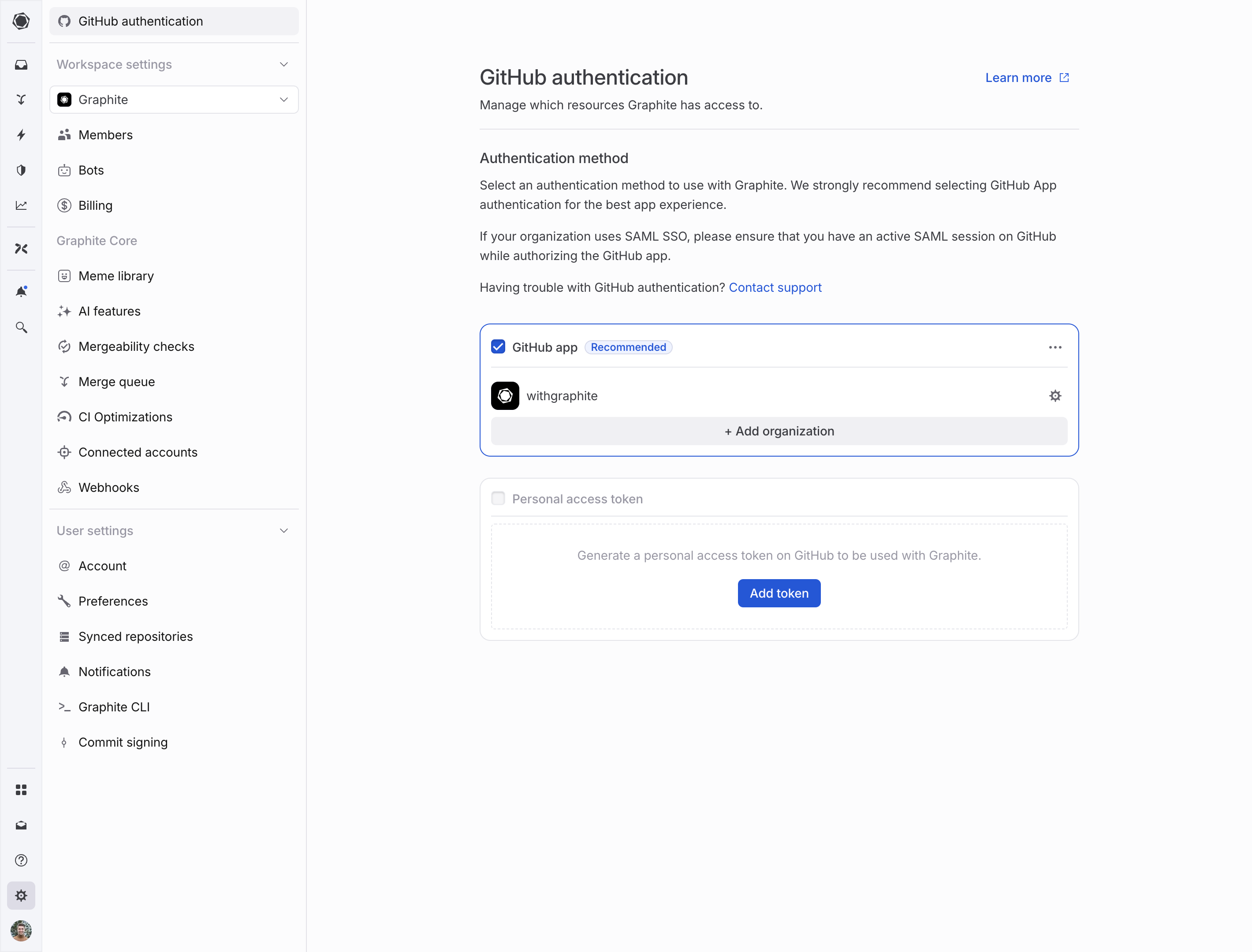 2. If this is your first time authenticating Graphite using the GitHub App, select the "Install GitHub App" button; otherwise, select the "Add organization" button.
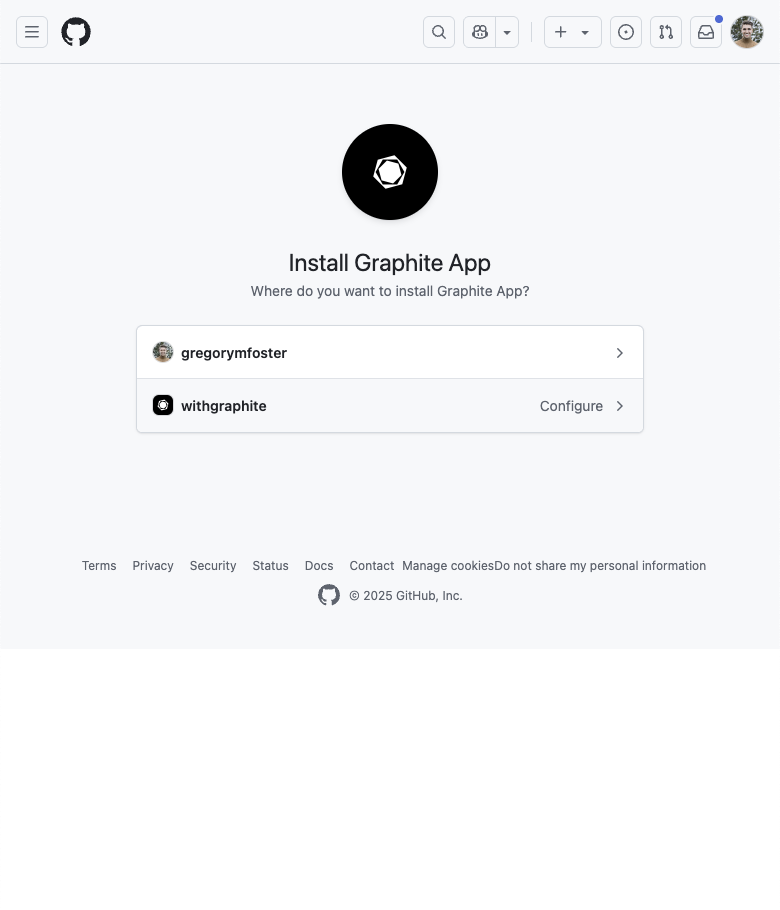
3. Install the Graphite GitHub App using the pop-up window that appears, selecting your personal account's login.
2. If this is your first time authenticating Graphite using the GitHub App, select the "Install GitHub App" button; otherwise, select the "Add organization" button.
3. Install the Graphite GitHub App using the pop-up window that appears, selecting your personal account's login.
 4. After returning to the GitHub authentication settings page, click the "Join team" button next to your personal account's login.
After completing these steps, you can enable AI reviews on your personal account following the instructions for [Getting started with AI reviews](/ai-reviews-setup#getting-started-with-ai-reviews).
You can only enable AI reviews on personal repositories that you own.
## Advanced configuration
While AI reviews work great out of the box, you can customize them to better fit your team's workflow and standards. Navigate to the **Rules & exclusions** tab on the [AI code review dashboard](https://app.graphite.com/ai-reviews) to configure these options, or see our [Customization](/ai-review-customization) page for details on:
* Setting up exclusions to prevent Graphite Agent from commenting on certain types of issues
* Creating custom rules that match your team's coding guidelines
* Excluding files from AI review analysis
The **Rules & exclusions** tab also shows metrics like acceptance rate and issues caught for each rule and exclusion, helping you track their effectiveness over time.
4. After returning to the GitHub authentication settings page, click the "Join team" button next to your personal account's login.
After completing these steps, you can enable AI reviews on your personal account following the instructions for [Getting started with AI reviews](/ai-reviews-setup#getting-started-with-ai-reviews).
You can only enable AI reviews on personal repositories that you own.
## Advanced configuration
While AI reviews work great out of the box, you can customize them to better fit your team's workflow and standards. Navigate to the **Rules & exclusions** tab on the [AI code review dashboard](https://app.graphite.com/ai-reviews) to configure these options, or see our [Customization](/ai-review-customization) page for details on:
* Setting up exclusions to prevent Graphite Agent from commenting on certain types of issues
* Creating custom rules that match your team's coding guidelines
* Excluding files from AI review analysis
The **Rules & exclusions** tab also shows metrics like acceptance rate and issues caught for each rule and exclusion, helping you track their effectiveness over time.